
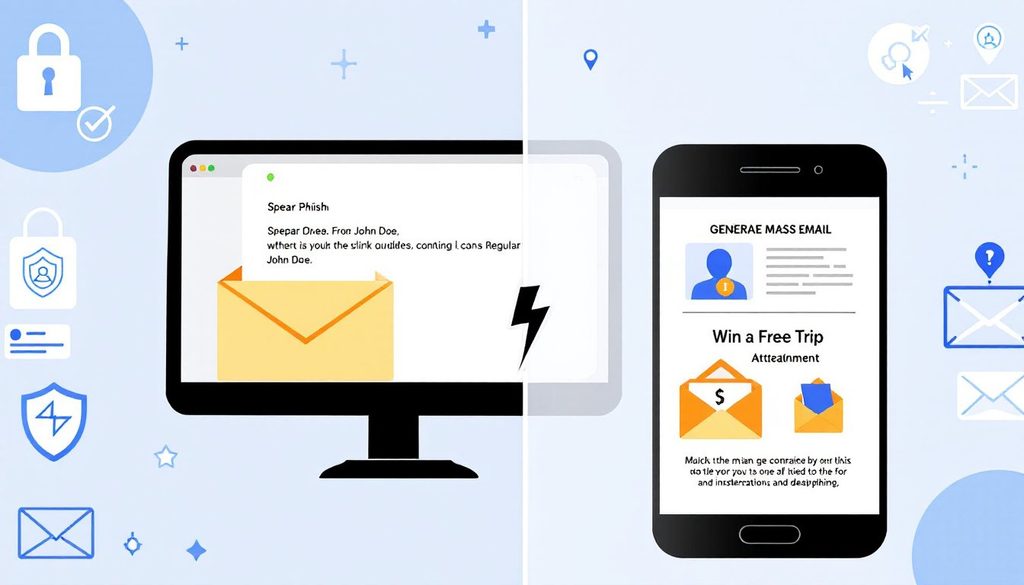
Two emails arrive on the same morning. The first claims that a bank account has been suspended and asks the reader to click a link. It is addressed to “Dear Customer,” contains a few awkward phrases, and has the look of a message sent to millions of people. The second mentions a project the reader is actually working on, comes from a name that sounds like a colleague, and asks for a quick review of an attached document before a meeting.
Both are phishing, but they belong to different families. One relies on volume and the other on precision. For general business readers, knowing the difference is useful because each type calls for slightly different instincts, and the more tailored one is the more likely to succeed. The sections below describe how regular phishing works, how spear phishing differs, which warning signs help, and what defenses fit each.
How Regular Phishing Works
Regular phishing is a numbers game. The sender writes one message, sometimes using a template copied from a real company, and sends it to a huge list of addresses with no particular target in mind. The expectation is that a small percentage of recipients will respond, and that is enough to make the effort worthwhile.
Typical themes are familiar: a package that could not be delivered, a payment that failed, a password that is about to expire, a prize, or a security alert from a well-known service. The message pushes for quick action, usually clicking a link to a fake sign-in page or opening an attachment that installs malware. The page collects whatever the victim types.
Because the messages are generic, they often leave clues. Greetings are impersonal, branding may be slightly off, the language may include errors, and the sender’s address often has little to do with the company it claims to represent. Recipients who do not use the named service at all can dismiss the message instantly.
Filters also do reasonably well against this kind of mail. The same message arrives in thousands of inboxes at once, which makes it easy to recognize and block. Regular phishing remains a nuisance and a real risk, but it is the easier version to defend against.
How Spear Phishing Differs: Targeting and Personalization
Spear phishing aims at a specific person or small group. The attacker begins with research, gathering details from company websites, social media, conference listings, press releases, and sometimes previously breached data. The result is a message that uses real names, job titles, projects, and relationships.
Personalization changes how the message feels. Instead of “Dear Customer,” the greeting uses the recipient’s first name. The sender appears to be a manager, a vendor, a recruiter, or a partner. The request relates to the recipient’s real work: reviewing a contract, approving an invoice, updating a payroll record, or joining a call. Nothing about it seems out of place.
Targets are chosen for their access or authority. Finance staff, executives, assistants, HR employees, system administrators, and new hires are common choices. The goal might be to steal credentials, redirect a payment, plant malware that gives the attacker a foothold, or collect information for a later attack. Each message is crafted for its recipient, so a single email may take hours of preparation.
A related variant, often called whaling, aims at senior leaders. The principle is the same, with greater emphasis on authority and confidentiality. Fewer messages are sent, which makes them harder to detect, because there is no large volume of identical mail for filters to learn from.
Red Flags That Separate the Two
Some warning signs appear in both types, and others apply mostly to one. The following comparison helps readers sort what they see:
- Greeting: generic for regular phishing, personal and accurate for spear phishing
- Volume: many identical messages versus a single message or very few
- Language: often clumsy in regular phishing, often polished and in the right tone for spear phishing
- Request: broad action such as “verify your account” versus a specific task tied to the recipient’s work
- Sender: random or loosely related address versus a lookalike domain, a spoofed name, or a compromised real account
- Timing: any time versus a moment chosen for pressure, such as a deadline, a trip, or a busy period
- Urgency: obvious threats versus subtle appeals to authority and helpfulness
The difficult cases are those where a message looks right in every respect except the request itself. A real colleague would not normally ask for gift cards, a bank account change, or a password through email. When the content of the request is unusual, the polish of the message should not be reassuring.
A good habit is to ask two questions of any email: is this request normal for this sender, and does it ask me to skip a normal process? A yes to the second, or a no to the first, is enough reason to verify through a different channel.
Defenses and Vendor Resources
Defending against both types starts with the same foundations. Email filtering catches much of the bulk phishing and some targeted attempts. Multi-factor authentication, preferably with phishing-resistant methods, limits what a stolen password can do. Email authentication records on the company domain reduce spoofing. Regular software updates close holes that malicious attachments would use.
Spear phishing needs additional layers because it is built to slip past filters. Controls that detect lookalike domains, impersonation of known contacts, and unusual first-time requests help. Procedures matter even more: callbacks for payment changes, dual approval for large transfers, and a clear route to confirm unusual requests from executives.
Many security vendors publish guides, glossaries, and awareness material that organizations can use in training. Mimecast is one vendor with educational resources on spear phishing, and similar material is available from other providers and from public agencies such as national cybersecurity centers. When using resources from Mimecast or any other source, check the date and relevance, and adapt the examples to the organization’s own tools and workflows.
Awareness training should include both types. Short, regular exercises with realistic examples, followed by immediate and respectful feedback, build better judgment than a single annual presentation. Employees who are most likely to be targeted, such as finance and executive support staff, benefit from extra, role-specific practice.
Building Habits That Work Against Both
Habits give ordinary employees the most protection because they apply regardless of how convincing a message looks. Pause before acting on any request that involves money, credentials, or sensitive data. Verify through a separate channel, using contact details already known and not those in the email. Report anything suspicious using the organization’s reporting button or mailbox.
Limiting what attackers can learn also helps. Review what the company publishes about its staff and structure, and encourage employees to be thoughtful about what they share on public profiles. Information such as who approves invoices or which vendors are used is useful to a criminal preparing a tailored message.
Culture matters. People who fear blame hide mistakes, which gives attackers time. A workplace where staff can say “I almost clicked on something strange” or “I think I entered my password on a fake page” without embarrassment gets earlier warnings and smaller incidents.
Finally, review and rehearse. Test the process for confirming a payment change, practice resetting a compromised account, and check that the help desk knows how to verify callers. These routines make the response automatic when a real attempt arrives.
Key Takeaways
Regular phishing casts a wide net with generic messages, while spear phishing selects a target and builds a message to fit. The first is easier to spot and filter, and the second depends on research, trust, and timing to appear normal.
Both can be reduced by the same core defenses: strong authentication, reliable filtering, verification habits, quick reporting, and a culture that welcomes questions. Readers who learn to examine the request and not just the look of the message, are well placed to stop either type before it causes harm.
A final practical step is to share one real example of each type with staff, with the clues marked. Seeing the generic message beside the tailored one makes the contrast clear, and it helps people recognize the more dangerous kind when it eventually reaches them.